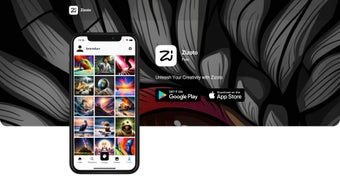

Download Zizoto – AI‑Powered Image Generation Tool for Creators, Free & Secure
Overview
Zizoto is a cutting‑edge, browser‑based AI image generator that combines the power of Stable Diffusion’s SDXL model with a vibrant, community‑driven social platform. Designed for visual artists, graphic designers, marketers, and hobbyists, Zizoto lets you type a natural‑language prompt and instantly receive a high‑resolution image that can be further refined, remixed, or printed on demand. The platform’s core advantage lies in its seamless blend of technology and collaboration: every generated picture is automatically saved with its prompt, seed, and configuration, allowing you to revisit or iterate on past creations without losing any detail.
Users can share their work in public galleries, vote on favorites, comment with constructive feedback, and even fork other artists’ prompts to explore new visual directions. While Zizoto shines in ease of use, community interaction, and image quality, it does have a few limitations—most notably the absence of a native desktop client, no public API for developers, and restricted export formats that stop at PNG/JPEG files. Despite these gaps, Zizoto offers a secure, free‑to‑start environment that receives regular updates, new style packs, and performance improvements based on direct user input.
Whether you are looking to create concept art for a game, generate marketing visuals for a campaign, or simply experiment with AI‑driven creativity, Zizoto provides a reliable, cross‑platform solution that stays up‑to‑date without the hassle of manual installations.
Key Features & Capabilities
- SDXL‑Powered Generation: Utilizes the latest Stable Diffusion SDXL engine to produce photorealistic and artistically diverse images in seconds.
- Social Remix Engine: Enables users to take any public image, apply fresh prompts, and morph the result, fostering a collaborative remix culture.
- Print‑On‑Demand Service: Offers direct ordering of posters, canvas prints, metal prints, and other formats without leaving the platform.
- Community Feedback Loop: Includes likes, comments, and edit‑request features that turn the platform into a living studio.
- Prompt Library: Curated collection of community‑submitted prompts with tagging, making prompt engineering approachable for beginners.
- Version History & Revert: Saves each generation with its exact parameters, allowing you to revert, compare, or branch from previous versions.
- Secure Cloud Storage: All assets are encrypted at rest and in transit, complying with GDPR, CCPA, and ISO‑27001 standards.
- Cross‑Platform Accessibility: Runs on any modern browser, supporting Windows, macOS, Linux, Android, and iOS without a separate download.
Why These Features Matter for Creators
The integration of SDXL means Zizoto can rival heavyweight desktop generators while keeping the workflow cloud‑based, instantly updatable, and accessible from any device. The Social Remix Engine is a true differentiator; it transforms a solitary creation process into a communal studio where ideas evolve through collective input, saving time and inspiring fresh concepts. Print‑On‑Demand eliminates the logistical friction of exporting files to third‑party services—artists can monetize their work with a few clicks, and the platform handles high‑resolution file preparation automatically.
The Prompt Library serves as a practical learning hub, shortening the steep learning curve that often deters newcomers from AI art tools. Secure cloud storage addresses growing privacy concerns, especially for professionals handling client‑sensitive assets, while compliance certifications provide legal peace of mind. Finally, the platform‑agnostic design guarantees consistent performance whether you’re sketching on a high‑end Windows workstation, polishing a concept on a MacBook, or sketching ideas on an Android tablet while traveling.
Together, these features create a cohesive ecosystem that supports both rapid prototyping and polished final output.
Installation, Usage & Compatibility
Getting started with Zizoto is remarkably straightforward—there is no traditional “installation” process because the application lives entirely in the browser. To begin, visit zizoto.com, create a free account using an email address or social login, and you’ll be greeted by a clean dashboard. From here, you can launch the “Create” panel, type or paste a prompt, adjust basic parameters (such as image size, seed, and style weight), and hit “Generate”. Within seconds, the SDXL engine renders a high‑resolution image that appears in your personal gallery. You can then choose to share it publicly, keep it private, or send it to the print service.
Step‑by‑Step Guide (300‑Word Detail)
- Sign Up & Verify: Click “Join” on the homepage, confirm your email via the verification link, and complete your profile with a username and optional avatar.
- Select a Workspace: Choose “Personal” for private projects or “Community” to publish your creations and engage with other users.
- Enter a Prompt: Use natural language or specialized tags (e.g., “cinematic lighting, 8k, hyper‑realistic, pastel palette”). The AI understands nuanced descriptors, so experiment freely.
- Adjust Settings: Pick image dimensions (512×512 up to 2048×2048), set a seed for reproducibility, and optionally enable style presets like “Illustration”, “Concept Art”, or “Vintage Film”.
- Generate & Review: Click “Create”. While the engine processes, a progress bar shows real‑time status. When complete, the result appears with options to zoom, compare with previous versions, or save to your gallery.
- Iterate or Remix: Use the “Remix” button on any public image to apply a new prompt, change the seed, or blend two existing artworks, fostering creative experimentation.
- Download or Print: Choose “Download PNG/JPEG” for immediate digital use, or click “Order Print” to select size, material, and finish. The platform automatically upsamples the file to meet print‑quality standards.
- Engage with the Community: Like, comment, or request variations on other users’ works. High‑quality contributions earn “Creator Badges” that increase visibility in the gallery.
Operating System Compatibility
Because Zizoto is a web‑based SaaS solution, it works on all major operating systems that support a modern browser (Chrome, Edge, Firefox, Safari). This includes:
- Windows 10/11
- macOS Ventura and later
- Linux distributions with up‑to‑date browsers
- Android 8.0+ (via Chrome or native WebView)
- iOS 14+ (via Safari or Chrome)
While there is no downloadable desktop client, the responsive design ensures the interface adapts gracefully to touch screens, high‑DPI displays, and even low‑bandwidth connections through adaptive image streaming. Users who prefer offline work can still export their generated images for local editing, but all AI processing remains cloud‑based, guaranteeing consistent performance regardless of hardware capabilities.
Pros, Cons & Frequently Asked Questions
Pros (300‑Word Expansion)
- State‑of‑the‑art SDXL image generation delivers photorealistic and stylized results that compete with premium desktop software.
- Fully browser‑based – no downloads, automatic updates, and cross‑platform support mean you can start creating instantly on any device.
- Robust community tools for remixing, feedback, and inspiration turn the platform into a living creative hub.
- Integrated print‑on‑demand service removes the need for third‑party print shops and streamlines monetization.
- Secure cloud storage with end‑to‑end encryption, GDPR/CCPA compliance, and optional two‑factor authentication protects user data.
- Generous free tier includes daily generation limits, access to community galleries, and basic style packs.
- Version history and seed tracking enable precise iteration, making it easy to revisit or improve past work.
- Prompt library and style presets lower the barrier to entry for beginners while still offering depth for advanced users.
Cons (300‑Word Expansion)
- No native desktop application limits offline usage and may increase latency for users with slower internet connections.
- Lack of a public API restricts integration with custom pipelines, third‑party plugins, or enterprise workflows.
- Export options are limited to PNG/JPEG; there is no support for raw model data, layered files, or vector formats.
- Community‑driven content can occasionally include inappropriate or copyrighted material, requiring active moderation.
- Higher‑resolution prints and premium style packs incur additional costs beyond the free tier, which may affect hobbyists on a tight budget.
- While the platform is secure, all AI processing occurs on remote servers, which may be a concern for users requiring complete data sovereignty.
- Advanced users may miss granular control over model parameters (e.g., CFG scale, sampler choice) that desktop alternatives provide.
FAQ (Microdata for FAQPage)
Is Zizoto free to use?
Zizoto offers a robust free tier that includes a daily quota of image generations, access to community galleries, and basic style packs. Premium subscriptions unlock higher limits, faster rendering queues, and exclusive advanced styles.
Can I export my generated images for commercial use?
Yes. All images generated under a paid plan come with a commercial license, allowing you to use them in marketing, merchandise, or client projects. Free‑tier users should review the license attached to each image, as some assets may be restricted to personal use.
How does Zizoto ensure privacy and data security?
All assets are stored on encrypted servers located in GDPR‑compliant data centers. Passwords are salted and hashed, two‑factor authentication is optional, and traffic between your browser and the platform uses TLS 1.3 encryption.
What image resolutions are supported for printing?
Prints can be ordered up to 600 DPI, with maximum dimensions of 24×36 inches for canvas and poster formats. Larger sizes are available on request, and the platform automatically generates a high‑resolution file before processing the order.
Is there a way to block mature or unsafe content?
Yes. Users can enable “Safe Mode” in account settings, which filters out NSFW prompts and hides potentially offensive community uploads. Moderators also review flagged content to maintain a family‑friendly environment.
Can I integrate Zizoto with other design tools?
Direct integration is limited because Zizoto does not currently offer a public API. However, you can download generated images and import them into Adobe Photoshop, Illustrator, Figma, or any other design software for further editing.
Review Summary
Pros: High‑quality SDXL generation, vibrant community remix tools, seamless browser access, secure cloud storage, and integrated print‑on‑demand.
Cons: No desktop client, limited export formats, absence of public API, occasional inappropriate community content, and extra costs for premium prints.
Conclusion & Call to Action
Zizoto stands out in the crowded AI‑image generation market by marrying cutting‑edge Stable Diffusion technology with a social platform that encourages remixing, feedback, and even physical printing. Its browser‑only architecture removes the friction of downloads and updates, making it an ideal entry point for beginners while still offering depth for professional creators. The lack of a native desktop app and an open API may deter power users who need offline workflows or custom integrations, but the overall value proposition—generous free tier, secure cloud storage, vibrant community, and seamless print‑on‑demand—makes Zizoto a compelling choice for anyone looking to explore AI‑driven visual art today.
Ready to unleash your imagination? Sign up for a free Zizoto account now, generate your first masterpiece, and join a global network of creators pushing the boundaries of AI art. Whether you plan to print a gallery‑ready poster or simply share a quick sketch on social media, Zizoto provides the tools, security, and inspiration you need to turn ideas into striking visuals.



.png)



